
Block distracting websites, preserve access to what's worthwhile
Traditional blockers make you choose between access and focus. Need to watch a lecture, find a recipe, or text a friend? Happy Squid understands the difference between distractions and what you came for.
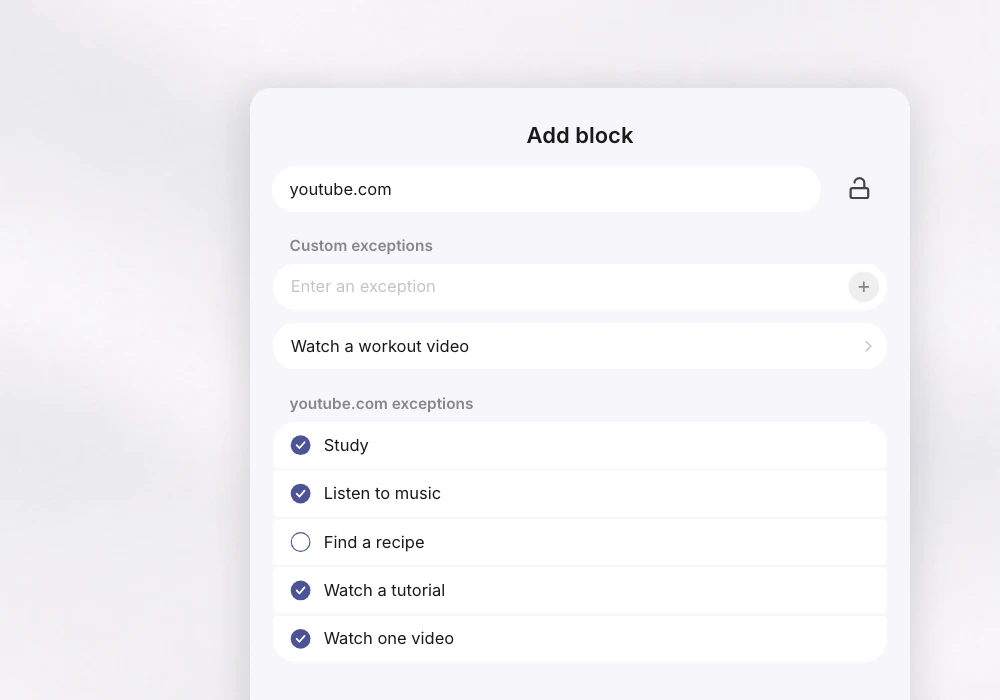
Intelligent Exceptions
Write your own exceptions for every blocked website. Happy Squid makes sure the content you see matches that exception.
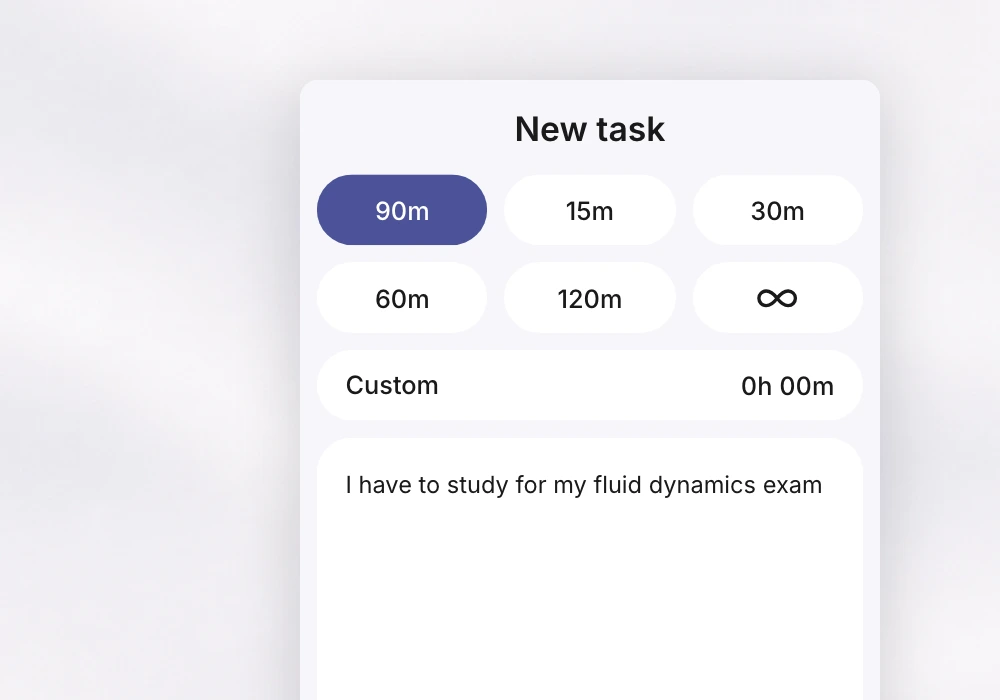
Work on a Task
Explain what you want to work on. Happy Squid then checks all websites only allowing the ones aligned with your project.
Happy Squid is an intelligent blocker. You can block addictive websites, while preserving access to what's worthwhile. Say you've blocked Instagram but need to text a friend. Use an intelligent exception or chat with Happy Squid and explain why you want to use the site. If your reason checks out, Happy Squid unblocks the site and holds you to that reason. Happy Squid understands the difference between distractions and valid reasons to access a website.
Besides blocking websites and locking them until your session ends, Happy Squid also lets you set intelligent exceptions for each blocked website. This way cutting back on websites does not mean cutting them off entirely. Alternatively, you can explain to Happy Squid what you're working on, and it'll block everything unrelated while allowing the sites your project depends on. Learn more about Happy Squid's features here.
Happy Squid is free to use with limited features. This is a great way to get started. When you are ready to unlock more powerful features, Happy Squid Pro starts at $2.99 per month and offers unlimited blocks and task sessions. Learn more about our pricing here.
Yes. All Happy Squid versions come with a 7-day free trial. Just choose the plan you'd like to try and your free trial starts automatically. This gives you time to explore all the features before committing to a paid plan. Learn more about our pricing here.
Yes. Happy Squid is built to work across all your devices. This way websites and apps you already blocked won't tempt you elsewhere. Just log in with your Happy Squid account on each device and you're set. Your blocks and settings sync automatically.
Yes. The extension works perfectly on its own. The desktop app provides extra functionality for power users. It lets you block apps and keeps you from bypassing your blocks by switching browsers. See our download options here.
Setting up Happy Squid is quick and easy. Just download the extension for your browser and you're good to go. We're on Chrome, Safari, Firefox, and Edge. For extra functionality, download the Happy Squid desktop app. Learn more about our download options here.